Realme has carved a unique space in the crowded TWS (True Wireless Stereo) market. Not content with just being “affordable,” they have consistently pushed feature-packed audio products that challenge the traditional budget narrative. Whether you are rocking the ANC-heavy Realme Buds Air series or the lightweight Realme Buds Q lineup, you aren’t just buying earbuds; you are buying into a seamless ecosystem.
This guide isn’t a spec sheet. This is the user manual that should have been in the box, focused on the human experience of owning and mastering your Realme earbuds.
Unboxing and The First “Hello”
The journey begins before you even put them in your ears. The unboxing experience is standard, but the first interaction is crucial. When you slide that cover off, your earbuds are in a deep sleep.
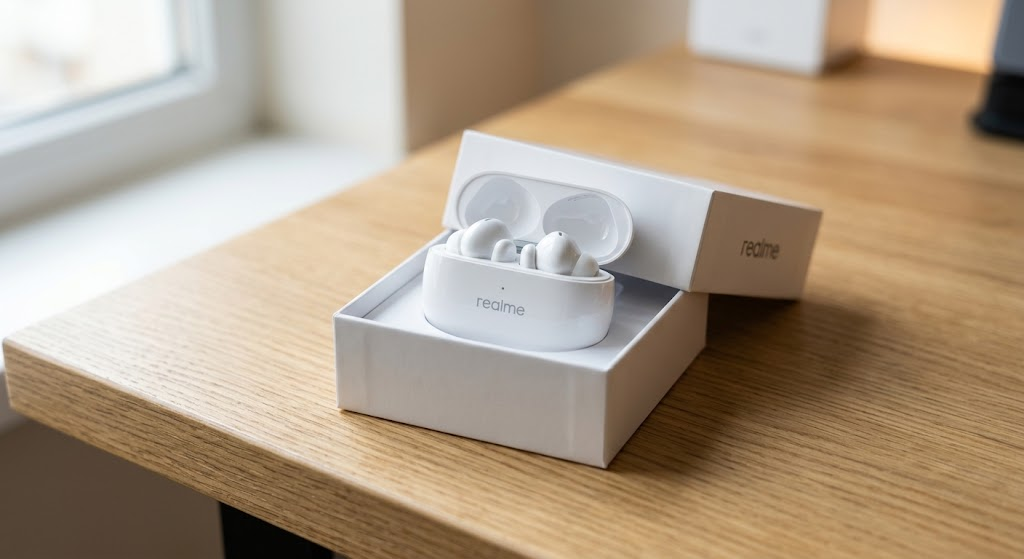
The Critical First Steps:
-
Remove the Insulating Films: This is the #1 mistake new users make. Many Realme models come with small, transparent plastic stickers covering the charging contacts on the earbuds stems. If you don’t remove these, your buds won’t charge, and they will never enter pairing mode. The case will light up, but the buds are effectively disconnected from reality. Peel them off first.
-
Charge Them Fully (Seriously): Resist the urge. Give the case and the earbuds at least 1.5 to 2 hours of uninterrupted charging before your first connection. This initializes the battery cells correctly and prevents erratic battery readings later on. A solid green light on the case usually means 100%.
2. The Connection Masterclass (Android, iOS, and PC)
Realme earbuds use Google Fast Pair on compatible Android devices, which is magical: you open the case, a notification pops up, and you tap connect. But what about the manual method, or connecting to an iPhone or a laptop?
How to Initiate Pairing Mode (The Universal Method):
Most users don’t know the trick. If Fast Pair doesn’t trigger:
-
Leave the earbuds inside the charging case.
-
Keep the case lid open.
-
Locate the small setup button. On many models (like the Air series), this is a subtle, circular button on the side or bottom of the case. On budget models, pairing mode is triggered by opening the lid and long-pressing the touch sensitive area on both earbuds simultaneously while they are still in the open case.
-
The LED on the front of the case will start flashing rapidly (usually white or blue), indicating it’s “looking for a friend.”
The “Must-Have” Tool: Realme Link App
While they work as basic Bluetooth earbuds on any device, you are missing 70% of the value if you don’t install the Realme Link app (available on both Android and iOS).
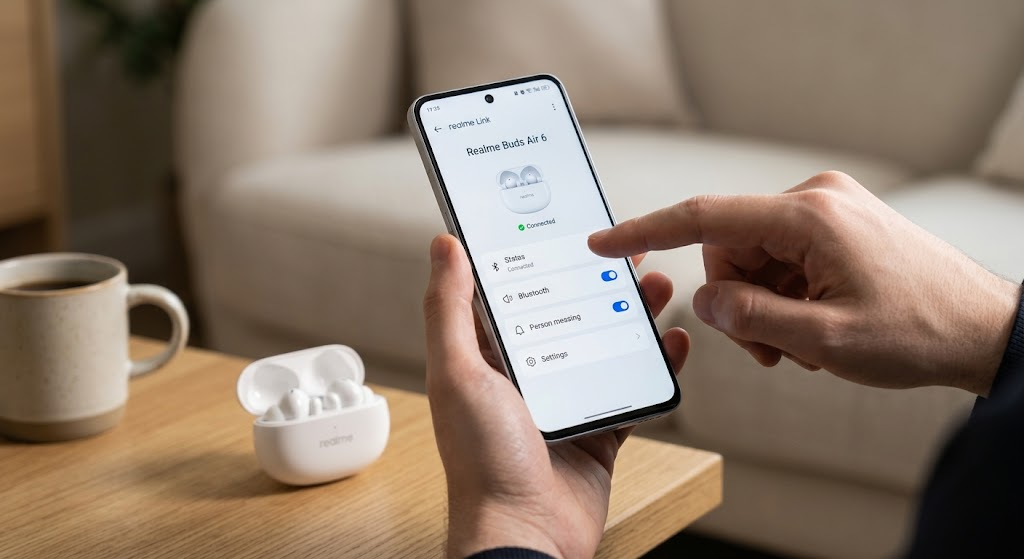
Realme Link unlocks critical features:
-
Firmware Updates: This is vital. Updates fix bugs, improve ANC (Active Noise Cancellation) performance, and sometimes even add new touch controls.
-
Button Customization: Don’t like the default double-tap to pause? Change it to volume control.
-
EQ Modes: Switch between ‘Bass Boost+’, ‘Balanced’, or ‘Bright’ profiles.
-
Game Mode: Toggles the low-latency setting, essential for syncing audio with video games.
3. The Elephant in the Room: Most Common User Complaints and Their Fixes
Realme earbuds are reliable, but like any mass-produced technology, users face recurring issues. Here are the top frustrations, translated into actionable fixes:
Complaint 1: “One Earbud is Quicker to Drain or Isn’t Charging”
This is overwhelmingly the most reported issue. The earbuds use sensitive copper contacts to connect to the pins inside the charging case.
-
The Cause: Microscopic levels of sweat, earwax, or dust accumulate on these contacts, creating resistance that stops the charging process. The case may think the bud is full, or it may not detect it at all.
-
The Fix: Don’t panic. Take a dry cotton swab (Q-tip) and a small amount of isopropyl alcohol (70% or higher). Gently but thoroughly clean the gold contacts on the stem of both earbuds and, more importantly, inside the charging case where the pins are located. This resolves charging issues 95% of the time.
Complaint 2: “The Audio Cuts In and Out, Especially Outdoors”
This is often caused by Bluetooth interference. While Realme uses modern Bluetooth 5.2 or 5.3, the 2.4GHz spectrum they use is incredibly crowded.
-
The Cause: Microwave ovens, Wi-Fi routers, and crowded public spaces (like trains) all interfere. Also, the human body is excellent at blocking 2.4GHz signals. If your phone is in your back-left pocket and the “master” earbud is in your right ear, the signal has to travel through your body.
-
The Fix:
-
Prioritize stability: Inside the Realme Link app, if you have an option to select ‘Connection Stability’ over ‘Sound Quality’ (often linked to codec selection like LDAC), choose stability when outdoors.
-
Move the phone: Try placing your phone in a front pocket or holding it. Sometimes, just changing the phone’s orientation helps.
-
Perform a Factory Reset: If interference is constant, resetting the buds can force them to re-negotiate their Bluetooth channel connection. (See section 4 below).
-
Complaint 3: “The Bass is Weak / ANC Doesn’t Work Well”
90% of the time, this isn’t a technical fault; it’s a fitment issue.
-
The Cause: Active Noise Cancellation and Bass response rely entirely on a physical, airtight seal (the ‘passive isolation’) in your ear canal. If air can leak around the silicone tip, low frequencies disappear, and the microphones can’t measure ambient noise accurately to cancel it.
-
The Fix:
-
The “Ear Tip Fit Test”: Realme Link often includes a fit test. It plays a sound and uses the internal microphones to check for leakage.
-
Try ALL Silicone Tips: Don’t assume the medium tips that came installed are correct. Your left and right ear canals might even need different sizes.
-
4. When All Else Fails: The Master Factory Reset
If your earbuds have become completely erratic—e.g., they won’t pair, they disconnect constantly, or the touch controls stop working—it’s time for the nuclear option. This is not just a restart; it’s a deep reset that wipes their memory and initializes the internal software.
Standard Factory Reset Process (Keep Buds in Case):
-
Place both earbuds into the charging case.
-
Keep the case lid wide open.
-
Press and hold the setup button on the case for 10 to 15 seconds. (If your model has no button, this is usually achieved by long-pressing both earbud touch areas simultaneously while they remain in the open case).
-
The indicator LED on the case will flash rapidly, often cycling through different colors (e.g., blinking green/red or white/blue), before settling on a steady color or turning off.
-
Important: After the reset, you must delete/forget the existing “Realme Buds” listing in your phone’s Bluetooth menu. You are starting fresh.
Realme earbuds offer incredible value, but unlocking that value requires a bit of understanding. Remember to keep the contacts clean (the golden rule), use the Realme Link app, and never underestimate the importance of a perfect silicone ear tip seal. Mastering these simple habits transforms a frustrating gadget into a seamless extension of your audio world.